Enable Users to Make Calls even if Teams is Unavailable
A fallback feature enables users to make calls even if Teams is unavailable. If Teams is unavailable, the device will still have connectivity to the internet via the SBC using a SIP-based application.
|
➢
|
To enable it, the administrator must: |
|
1.
|
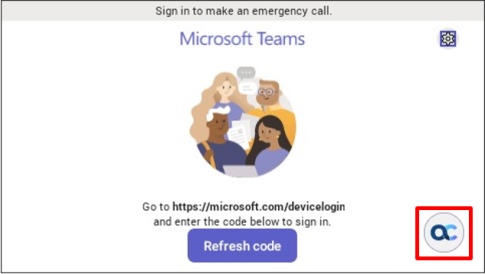
Set parameter ‘system/ace/shortcut_enabled’ to 1 (default = 0); an AC soft button is then displayed in the lower right corner of the phone screen (if Teams is unavailable) as shown here: |
|
➢
|
To register a SIP account (sign in), the admin must: |
|
1.
|
Set the following parameters: |
|
●
|
personal_settings/sip/server =wss://<SBC URL>
|
|
●
|
personal_settings/sip/port =<SBC server port>, e.g., 443 |
|
●
|
personal_settings/sip/domain =<domain name>
|
|
●
|
personal_settings/sip/username=<account name>
|
|
●
|
personal_settings/sip/password=<account password>
|
|
2.
|
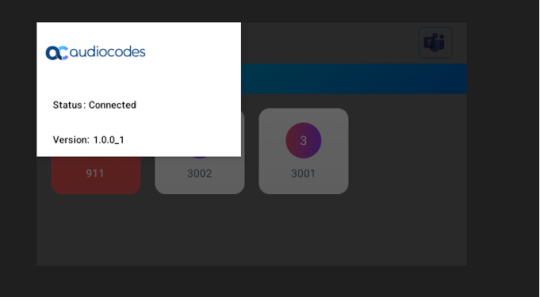
View the account status: Connected if registered, Not Connected if not registered. |
|
➢
|
To enter the app, the user must: |
|
■
|
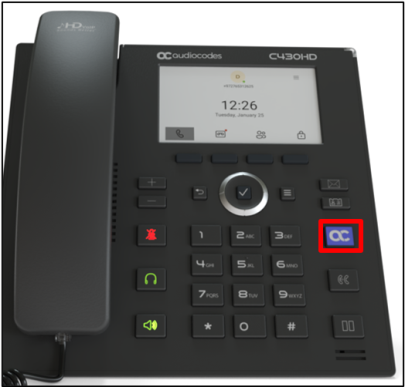
Press the AudioCodes Smart button on the phone as shown below (only when parameter ‘system/ace/minilauncher_enabled’ is set to 1) to switch between Teams and the app. |
|
➢
|
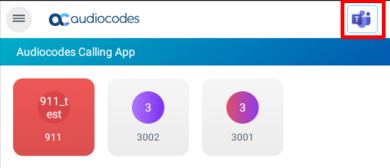
To add up to 41 speed dial keys, the administrator must: |
|
1.
|
Use the following parameters: |
|
●
|
personal_settings/functional_key/[0-40]/speed_dial_number= < destination>
|
|
●
|
personal_settings/functional_key/[0-40]/type = DEFAULT (button retains its Teams color) -or- EMERGENCY (button is colored red) |
|
●
|
personal_settings/functional_key/[0-40]/display_name= <destination display name>
|
|
➢
|
To make a call, the user must: |
|
1.
|
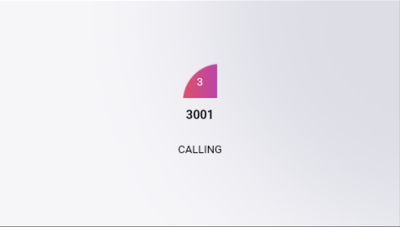
Press the speed dial; the calling screen shows the callee’s name. To end the call, on-hook the handset or press the speaker/headset button. |
|
2.
|
View the phone’s calling screen: |
|
3.
|
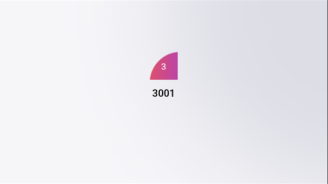
View the phone’s incoming call screen: |
|
4.
|
[Optionally] During the call, the user can adjust the volume, mute, unmute, DTMF, switch audio source, etc. |
|
●
|
The app blocks incoming calls when Teams is in the foreground. |
|
●
|
When Teams is available and the app is in the foreground in idle state, the phone cannot get an incoming Teams call. |
|
●
|
After rebooting, the device always displays the Teams home screen. |